Put AI Agents to work on your own computers.

Free on your own computers, with remote access included.

Each Agent gets a computer of its own and does real work on it, from inboxes and spreadsheets to code. Run them on the Mac, PC, or Linux box you already have, or on one big machine that hosts Agents for your whole team. They think with the AI you choose, including open models on your own hardware, and you can watch and take the controls from your phone.

Your MacBookAda works on the machine itself
AdaInbox and invoicesClaude
Gaming PC · WindowsRuns a local model for your Agents
JuneReviews code, with no bill per questiongpt-oss 20B
Now13 Agents on 4 computers
Ada wants your OKA $240 refund for Kim Lee
  • WrenWoke up for a teammate’s message
  • AdaAnswered 6 emails and filed 2 invoices
  • JuneReviewed Otis’s change with gpt-oss on your gaming PC
Office Linux box · 64 GBShared by ten teammates
Idle Agents sleep until someone needs them5 awake · 5 asleep
Geyser computer9.5¢ an hour awake + $7 a month
OtisWrites and tests codeCodex
An example workspace: thirteen Agents on four computers, all within reach of your phone over Geyser’s private network.
What Geyser does

A private network of AI Agents, on computers you control

Geyser gives each Agent a real computer, the AI you pick, and a way to reach you wherever you are. Here’s what that adds up to.

Every Agent’s screen, on your phone

Watch an Agent work on Mac, Windows, or Linux, point at something on its screen, or take the controls. There are no ports to open, and it’s free on every plan.

How remote access works

Your own AI, or the plan you already pay for

Run Gemma, Qwen, or gpt-oss on the graphics card you already own, with no charge per question. Or sign Agents in with your ChatGPT plan.

Run your own AI

An inbox and a phone number of their own

Agents can answer email, send texts, and take calls for you. Plus includes an address and a number for up to 3 Agents.

Agents that work as a team

Agents share a Room for each project, hand work to each other, and check each other’s work across Claude, Codex, and Gemini. Your phone tells you when one is waiting on you.

Read the fine print

Who does your AI assistant answer to?

This year the biggest AI companies all launched assistants that live on their computers, in their clouds, holding the keys to your email and your bank. Here’s that deal next to ours.

QuestionThe usual cloud assistantGeyser
Where it worksOn the company’s servers, signed in to your accountsOn your own Mac, Windows PC, or Linux box, in a walled-off computer of its own or on the machine itself
Which AI it usesTheirsClaude, ChatGPT, Gemini, Mistral, or an open model on your own hardware, picked for each Agent and switched whenever you like
Where your data livesOn their servers, under a policy they can rewriteIn a data home you choose, with us or on your own Mac or Linux computer. Export it whenever you like, and we never sell it
What it costsA subscription, then credits or limits that run outNothing on your own computers. Use the AI plan you already pay for, or a local model with no charge per question
How you keep an eye on itMostly, you read what it says it didYou watch its screen live from your phone and take the controls with one tap
What keeps it in lineInstructions the model is asked to followPermissions Geyser enforces outside the AI, and approvals on your phone
Agentic remote access

Reach your computers, and the Agents on them, from your phone

Install Geyser Host on your Mac, Windows PC, or Linux PC and it turns up in your workspace, ready to open from your phone or any browser. There are no ports to open and no router settings to change.

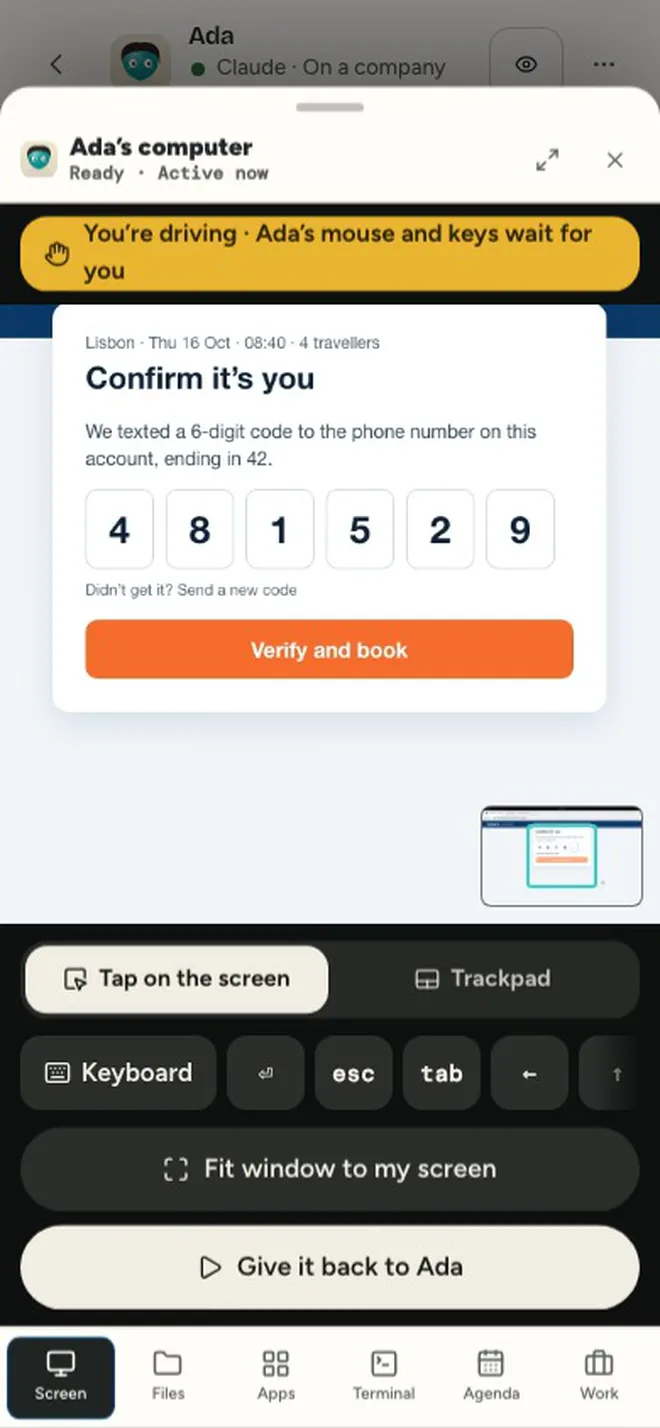
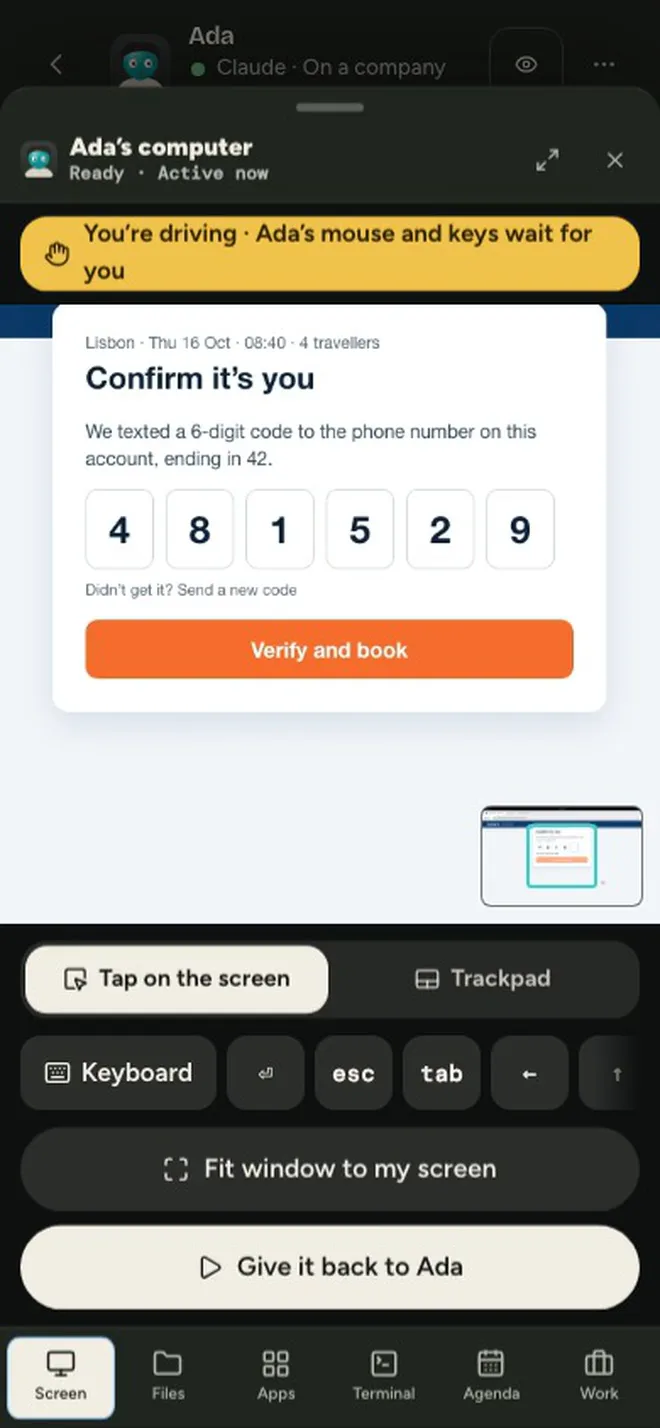
Every Agent’s computer opens the same way. Follow along while it works, tap a spot on the screen and tell it what to do there, or take the controls when a page wants a code only you have. Hand them back and the Agent picks up where you left off. It’s free on every plan.

See how remote access works
Geyser Chat on a phone: watching Ada book flights, taking over to type the code the airline texted, then giving the screen back so Ada finishes the booking
Agent homes

Your Agents live on your computers

Every Agent gets a computer of its own, on hardware you own. Put it in a walled-off Linux computer inside your Mac, Windows PC, or Linux box, or let it work on the machine itself. On a computer that stays switched on, the work carries on overnight.

In a pod on your computer

A private Linux computer running inside one you own, kept off your home network. Your hardware does the work, and the pod can’t see your own files.

Your computer itself

Flip one switch and your Mac, Windows PC, or Linux PC becomes an Agent’s home, with your keys and sign-ins kept out of reach.

Your own AI

Run the AI on your own hardware, too

Switch on “Run local models here” in Geyser Host and pick an open model such as Gemma, gpt-oss, Qwen, or GLM. Geyser checks that it fits, downloads it, and sets it up for Apple silicon, NVIDIA, or whatever graphics card you have. What you send it never goes to an outside AI company, and nobody bills you per question.

Want a cloud model for some jobs? Choose it Agent by Agent, and switch when a better one comes out. The Agent keeps everything it knows.

  • Claude
  • ChatGPT
  • Codex
  • Gemini
  • Mistral
  • Open models on your own hardware
Run your own AI
Geyser HostStudio Mac · 64 GB
Run local models here
  • Qwen3 Coder 30BOtis is coding with itIn use
  • gpt-oss 20BFits this MacReady
  • Gemma 4 12BFits this Mac, reads images tooReady
  • gpt-oss 120BNeeds more memory than this Mac hasWon’t fit
Geyser checks each model against the computer’s memory before it downloads anything.
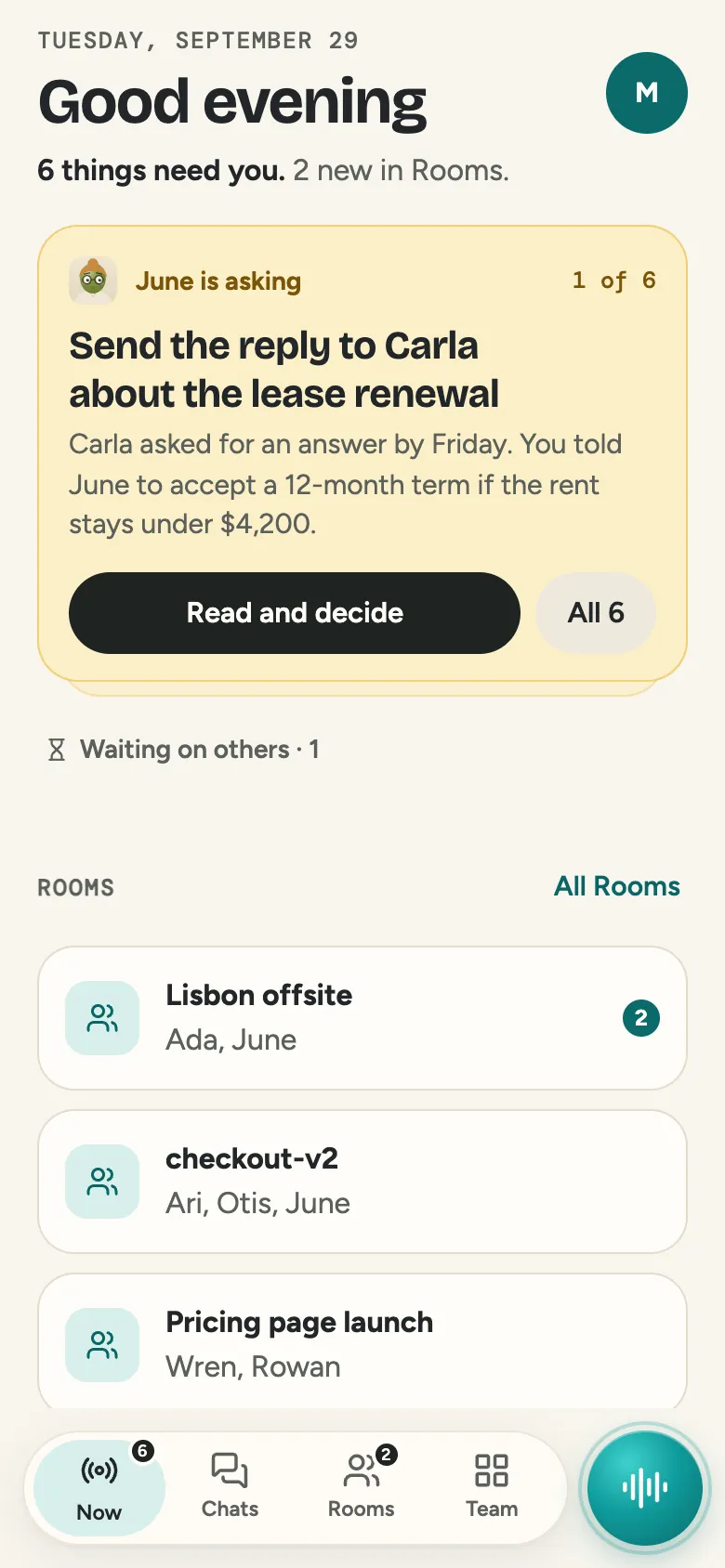
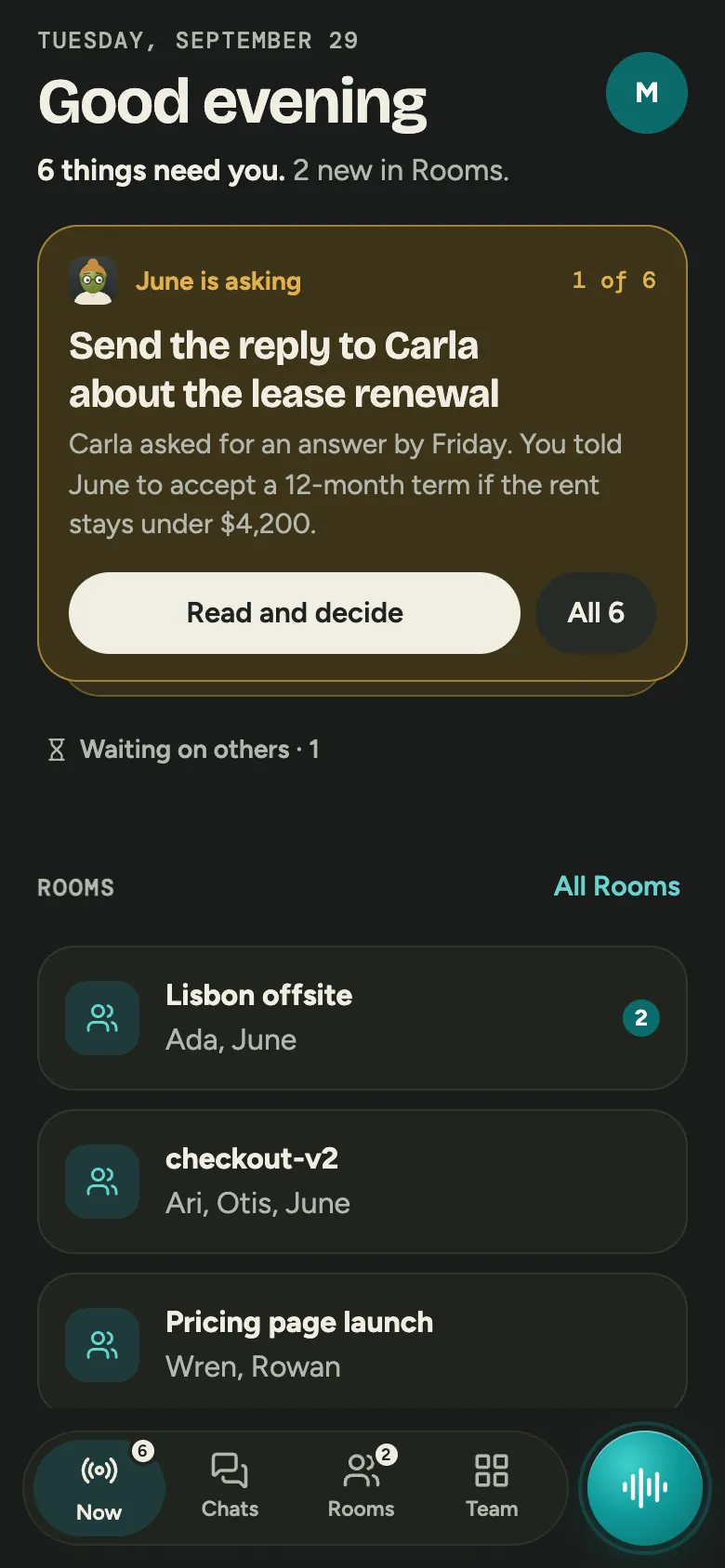
Geyser Chat on iPhone: the Now screen with a request from June on top
You’re in control

The rules live outside the AI

Geyser checks every permission itself, apart from the model, so an Agent can’t talk its way past a limit. You decide which actions wait for your approval, which folders an Agent can touch, and how much it can spend each day. Watching a screen and controlling it are separate permissions, and one click stops any Agent.

When an Agent needs you, the request reaches your phone with the background attached. Swipe to approve, or jump to the Agent’s screen and take over. Anything that spends money asks for Face ID on iPhone or your fingerprint on Android first.

How privacy and control work
Who it’s for

Made for people who read the terms of service

Developers

Every Claude Code, Codex, and Antigravity session on every machine you own, in one list. Agents on different engines check each other’s work, and your phone tells you which one is waiting.

Geyser for developers

The privacy-minded

Sensitive information checks look for private details before anything goes to a public AI, then remove them, send the whole request to your own model, or block it. Keep your data home on your own hardware if you’d rather keep it off anyone’s servers, ours included.

Privacy & control

Anyone with a GPU going to waste

That gaming PC or Mac Studio can be the AI server for all your Agents. Switch on local models in Geyser Host and every Agent you allow can think with them.

Run your own AI

Anyone tired of AI bills

Geyser is free on your own computers. Sign your Agents in with the ChatGPT plan you already pay for, or run a local model and stop paying per question.

See pricing
Where we stand

Four lines we won’t cross

Somebody in AI should be on your side of the table. Here’s where we draw the lines.

We don’t sell your data

We never sell it or use your work to build advertising profiles. Your work and what your Agents learn stay in a data home you pick, and you can export them whenever you like.

We don’t look without asking

Our support team can’t open your content without a grant your workspace Owner approves, and even then they can only watch a screen, never drive it.

We don’t lock you to one AI

Pick a different model for each Agent, in the cloud or on your own hardware, and switch whenever you like. The Agent keeps its name and everything it knows.

We don’t charge rent on your own computer

Running Agents on your own hardware is free, remote access included. Plus is one price per workspace with no per-person fees, and extra spending stays off unless you switch it on.

Make a start

Put your first Agent on your own computer

Your first Agent runs free on the computer in front of you. Plus is $29 a month, and you pay for Geyser’s AI only when you use it.